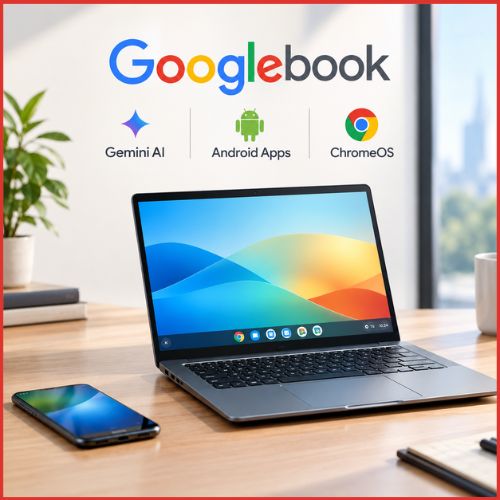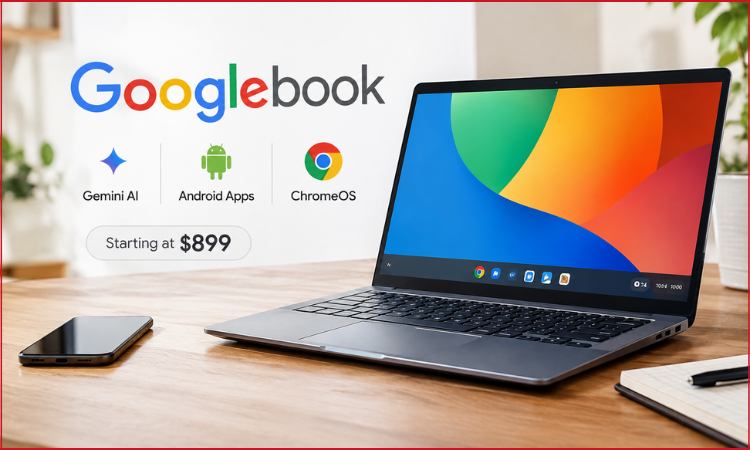
Google is making a much bigger play for the premium laptop market with Googlebook, a new category of computers designed around Android, ChromeOS technology and deeply integrated Gemini features.
The first Googlebook laptops are being built by Acer, Asus, Dell, HP and Lenovo rather than Google producing a single machine of its own. Pre-orders have opened in the United States, with prices starting at $899. The first models are due to reach stores on October 4, followed by launches in Canada, the UK, Ireland, France, Germany and Australia on October 5.
India is not part of the initial rollout, and there is no confirmed Indian launch date yet.
Googlebook is more than another name for Chromebook. Google is positioning it as a separate premium computing platform, with native Android applications, a desktop-class Chrome browser, Linux development tools and Gemini AI features built directly into the experience.
Googlebook Brings Android and ChromeOS Closer Together
The most significant part of Googlebook is what sits underneath the hardware.
The new platform uses the Android technology stack while borrowing desktop foundations from ChromeOS. That combination is meant to give users access to the huge Android app ecosystem without losing the window management, browser capabilities and keyboard-and-mouse experience expected from a laptop.
Google Play is available natively, giving users access to Android applications directly on their computers. The desktop version of Chrome is also included, complete with extension support.
Creative applications are part of the pitch too. Adobe Photoshop, Lightroom and CapCut are among the software Google says can run on the platform.
Developers get a Linux terminal environment, opening the door to a wider collection of professional tools that would normally be difficult to accommodate on a mobile-first operating system.
The idea behind Googlebook laptops is therefore fairly straightforward: keep Android at the centre, but make it capable enough to operate as a full desktop platform.
Gemini AI Is Built Into the Laptop Experience
Artificial intelligence is not being treated as an optional application on Googlebook.
Gemini AI is woven into several parts of the operating system, beginning with a feature called Magic Pointer. A quick movement of the cursor can bring Gemini into whatever is currently displayed on the screen.
The assistant can then work with the text, images or other information being viewed. Instead of copying something into a separate chatbot window, users can ask Gemini for help in the context of what they are already doing.
Another feature, Rambler, focuses on voice input.
A user can speak naturally rather than carefully dictating complete sentences. Rambler then turns those thoughts into structured material such as headings, notes and checklists. It can also handle multiple languages during the same conversation.
Create My Widget takes a different approach. Users describe the type of desktop widget they want, and Gemini can generate it from that instruction.
These features show the direction Google is taking with AI on computers. The goal is not simply to put another Gemini shortcut on the taskbar. Google wants the assistant to understand what is happening across the desktop and become available exactly where the user is working.
Android Phones Become Part of the Experience
Googlebook is also designed to address one of Apple’s strongest advantages: the way its phones and computers work together.
An Android phone can transfer settings, saved passwords, Wi-Fi networks and messages during Googlebook setup, with the information protected through end-to-end encryption.
After that, several cross-device tools keep the two products connected.
Continue On allows compatible tasks started on an Android phone to be resumed on the laptop. Someone could begin working inside an application while travelling and continue from the computer later.
The Files application can display files and photographs stored on the connected phone without requiring users to email them to themselves or manually transfer everything first.
Cast My Apps goes further by allowing phone applications to appear inside a desktop window.
That could be useful for an app that is installed on the phone but not the laptop, or for quickly accessing a one-time code without repeatedly reaching for another device.
This tighter Android laptop integration could become one of Googlebook’s most important selling points, particularly for people already using premium Android phones.
Five Laptop Makers Are Ready at Launch
Google has avoided tying the platform to one piece of hardware.
Five manufacturers are launching devices immediately, giving Googlebook a broader hardware lineup from the beginning.
The Acer Googlebook 14 includes a 14-inch 2.8K OLED touchscreen, an Intel Core Ultra 5 processor, 16GB of RAM and 512GB of storage.
Asus is offering a similarly sized Googlebook 14, while Lenovo’s Googlebook 15 moves to a larger 15.3-inch OLED display.
Dell and HP are taking a different route with Qualcomm hardware. The Dell XPS Googlebook and HP Googlebook 14 use Snapdragon X Elite processors.
Across the range, buyers can expect touchscreens, backlit keyboards and haptic trackpads. Memory starts at 16GB, while some configurations reach 32GB of RAM.
The machines use dedicated neural processing hardware capable of more than 45 TOPS, giving them the local processing power needed for modern AI workloads.
Battery Life Reaches Up to 16 Hours for Web Browsing
Google is also making battery life a central part of the platform.
Across the portfolio, the company claims up to 14 hours of video playback and as much as 16 hours of web browsing, although actual results will naturally depend on the individual model and workload.
Intel and Qualcomm processors are both represented, which means efficiency may vary considerably between devices.
Googlebook also introduces a visual detail called the Glowbar. Located on the outside of compatible machines, it can illuminate during startup, show charging progress and react when the user interacts with Gemini.
It is a small addition, but it gives otherwise conventional-looking laptops something that makes them easier to identify as Googlebooks.
Security and Long-Term Updates Are Part of the Pitch
The new platform uses Google’s Titan security architecture and includes hardware-backed protections alongside on-device malware detection.
Linux tools operate inside an isolated environment, allowing developers to work with code and command-line applications without giving those processes unrestricted access to the rest of the system.
Google is also promising regular Googlebook OS feature updates and software support for up to 10 years.
That long support window could become important for buyers spending premium-laptop money rather than Chromebook-level prices.
Each Googlebook also includes 12 months of Google AI Pro, which comes with access to Google’s more advanced Gemini tools and 5TB of cloud storage.
Googlebook Is Aiming Higher Than Chromebook
Perhaps the most interesting detail is what Google is not doing. Chromebooks are not disappearing.
Google says Googlebook and Chromebook will coexist, with the new platform occupying a more premium position. That explains the $899 starting price and the decision to launch with OLED displays, high-end processors, premium materials and substantial memory.
Googlebook therefore appears aimed less at inexpensive education laptops and more directly at people considering a Windows ultrabook or MacBook.
Whether buyers are ready to spend that much on an Android-centred laptop remains the bigger question.
The hardware is competitive on paper, but the strength of the platform will ultimately depend on how well Android applications adapt to large displays and whether users can find desktop-grade software for the work they actually do.
Still, Google now has something it has lacked for years: a premium laptop platform built around the same ecosystem used by hundreds of millions of Android phone owners.
With Gemini AI, native Android applications and tighter phone integration sitting at its centre, Googlebook is the company’s clearest attempt yet to turn Android into more than a smartphone operating system.