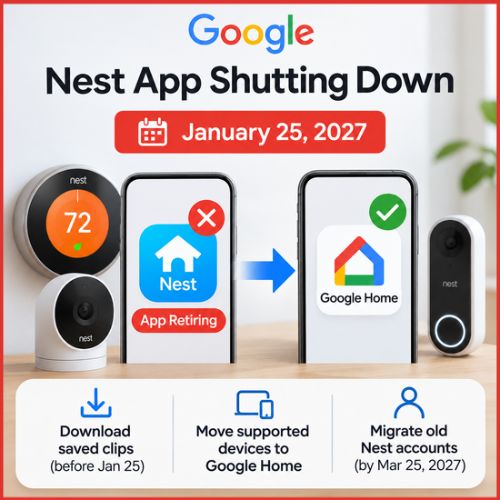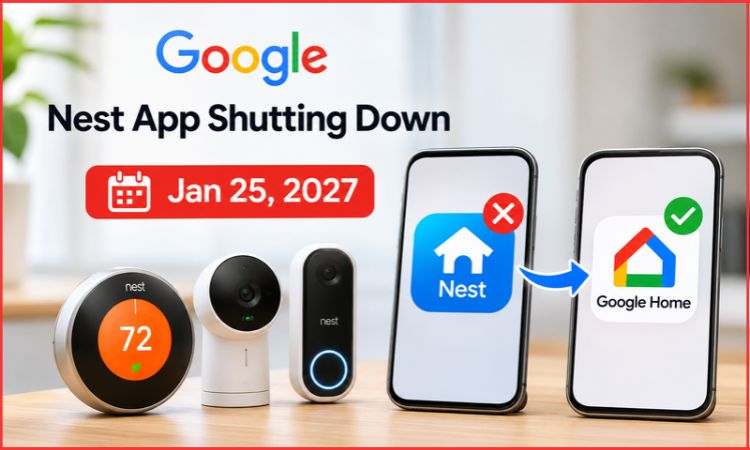
Google will retire the Nest app on January 25, 2027, moving supported devices and their controls into Google Home. The change affects the Nest app on Android, iOS and TV, along with its existing web interface.
For households using older Nest products, the announcement brings an end to managing devices across two applications. Google says supported hardware will continue working, but owners will need Google Home and a linked Google Account to maintain app access.
There is one task users must handle themselves: downloading saved clips from the Nest web library. Those clips will not move automatically.
Saved Video Clips Need Attention Before January
The most immediate concern is the difference between camera history and manually saved clips.
Google says recent camera history will transfer to Google Home. However, clips saved in the old Nest web library are excluded from that process.
Owners who want to keep those files should visit the existing Nest website before January 25 and use its “Download All” option.
That distinction matters because a clip saved for later use can feel permanent. Someone may have kept footage of a delivery, a household incident or a family moment without expecting to revisit the service that stores it.
The Nest app shutdown makes that assumption worth checking. Downloading the archive creates a separate copy that does not depend on the migration.
After downloading, owners should check that the files open and that the archive contains the clips they expected. The backup is useful only if it is complete and accessible.
Supported Devices Will Move To Google Home
The shutdown concerns the application rather than a blanket withdrawal of hardware support.
Google’s guidance says supported thermostats, cameras, doorbells, alarms and locks will transfer to Google Home, with the process beginning on January 25.
That does not mean every Nest product ever released gains renewed support. Owners should check their particular model against Google’s supported-device list.
For a household with several devices, the practical task is to establish what is installed and which account controls it.
A thermostat may have been added years before a camera or doorbell. Different family members may also have handled the original setup.
Checking those details before the deadline provides time to resolve missing devices or account problems while the existing app remains available.
Older Nest Accounts Have A Separate Deadline
Some long-standing users still sign in with a standalone Nest account rather than a Google Account.
Those accounts require migration. Google identifies March 25, 2027, as the point after which it will begin processing deletion of unlinked accounts and associated information.
The two deadlines serve different purposes.
January 25 ends access through the Nest app. March 25 concerns the remaining unlinked accounts and their data.
Waiting for the later date could therefore leave an owner unable to use the old app before completing the account transition.
For anyone unsure which account they have, Google’s guidance distinguishes between signing in through Google and entering a separate Nest login.
The Nest account migration deserves attention even when the devices themselves appear to be working normally.
Working Hardware Still Needs Accessible Controls
A device can continue performing its local function while its owner loses access through an application.
That is an important distinction in a smart home. A working thermostat does not necessarily mean remote access is available, and a functioning camera does not establish that its owner can view the feed through the expected interface.
For users, the migration should therefore be checked through ordinary actions.
Can they see the right home? Can they locate each supported device? Can they perform the controls they regularly use?
This is more informative than confirming only that an application has been installed.
A household should also consider who needs access. The person managing the transition may not be the only person who checks cameras or changes settings.
The New App Will Require Some Familiarisation
Moving to one application could simplify daily use for people who currently switch between Nest and Google Home.
It also means familiar actions may appear in different places.
For someone who opens the app occasionally, a changed layout can be more disruptive than it is for a frequent user. A camera control or setting that once took a moment to find may require a fresh search.
The best time to learn that layout is before an urgent need arises.
Owners can identify their most-used tasks and confirm where those functions appear. That might involve checking a camera view, adjusting a temperature or finding a saved event.
The value of Google Home migration will ultimately depend on those routine actions remaining straightforward.
Voice Assistant Changes Follow A Different Timetable
The Nest transition is part of a wider change to Google’s home platform.
The report also identifies August 2, 2027, as the retirement date for Google Assistant on home speakers and smart displays, with Gemini for Home taking its place.
That is separate from January’s app deadline.
Owners should avoid treating the two announcements as a single switch occurring on the same day. Managing a camera through Google Home and changing the voice assistant on a speaker involve different parts of the experience.
Keeping a short record of the relevant devices and dates can prevent one completed migration from being mistaken for completion of every required change.
Owners Have Time To Check The Transition
The January deadline leaves time to prepare, but the saved-clip exception gives users a reason to act early.
The sensible order is to identify the account, check supported devices, save the web clip archive and confirm access in Google Home.
None of those checks requires assuming that the migration will fail. They simply establish that the household can continue using the features it depends on.
For Nest owners, the announcement is less about replacing equipment than preserving access. The hardware may remain in place, while the account, application and stored footage need closer attention.