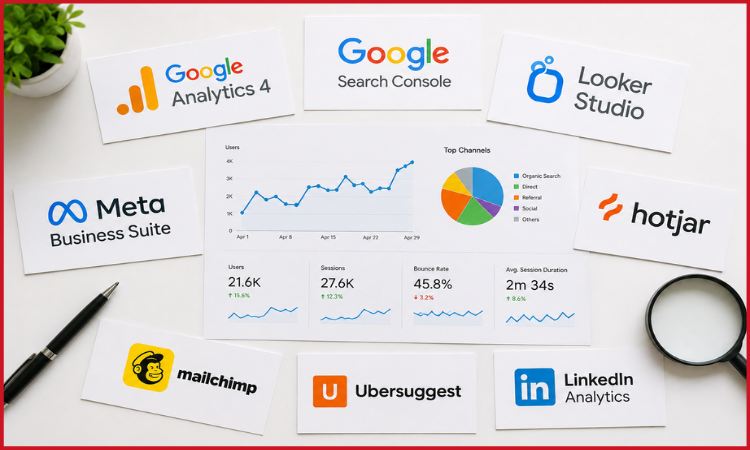
Data forms the foundation for any successful marketing strategy. A recent HubSpot 2024 study showed that 61% of marketers feel their number one priority for inbound marketing campaigns is to increase traffic through SEO improvements, but without analytics from marketing, this will not happen. You do not need to spend thousands on enterprise-level tools; there are many different free tools available that can help give you valuable data about the effectiveness of your digital marketing strategy.
From freelancers to startups and emerging brands, we’ve compiled an extensive list of the best free analytics tools available, along with their features, how to use them, and what results to expect from each tool.
Marketing trends reinforcing the need for analytics:
- Free tiers of popular tools are already equipped with insights from artificial intelligence.
- Omnichannel attribution becomes mandatory rather than an additional perk.
- Real-time reporting dashboards have become a must-have for free tools.
- New engagement metrics to track short-form videos and social commerce.
At a Glance: Top Free Analytics Tools Comparison
| Tool | Best For | Free Tier Limit | Real-Time Data | Mobile App |
| Google Analytics 4 | Website traffic & behavior | Unlimited (standard) | Yes | Yes |
| Google Search Console | SEO & organic search | Unlimited | Yes | No |
| Meta Business Suite | Facebook & Instagram ads | Unlimited | Yes | Yes |
| Hotjar (Free) | Heatmaps & UX tracking | 35 sessions/day | No | No |
| Ubersuggest (Free) | Keyword & competitor research | 3 searches/day | No | No |
| Mailchimp (Free) | Email marketing analytics | 500 contacts, 1K emails/mo | Yes | Yes |
| Google Looker Studio | Custom dashboards & reporting | Unlimited | Yes | No |
| LinkedIn Analytics | B2B audience insights | Unlimited (page admins) | Yes | Yes |
1. Google Analytics 4 (GA4)
Best for: Traffic, user behaviour, and conversion tracking
GA4 remains the most suitable solution for your web analytics and monitoring your business’s digital performance. GA4 replaced Universal Analytics in 2023 and brought in an event-driven approach to analytics, which means it monitors the whole client journey via different platforms.
Key features (free):
- Cross-platform user tracking and lifecycle analytics
- Funnel exploration and path analysis reporting
- Integrations with Google Ads to monitor paid campaigns
- Predictive audiences based on machine learning
- Supports up to 500 different events per property
Marketing Insight: GA4 is being used by more than 55% of the websites utilizing website analytics tools globally (W3Techs, 2024). Companies employing GA4 with its full feature set (event tracking) claim 28% increase in speed of campaign optimization.
2. Google Search Console
Best for: SEO performance and organic search visibility
Google Search Console is a free tool that helps you monitor your website’s SEO performance on Google Search. It is especially useful for analyzing your website’s visibility in organic search results. With the use of this tool, you can examine which keywords you are gaining impressions from, the pages being ranked on certain keywords, and the indexing errors.
Key features (free):
- Click-through rate (CTR) and average position metrics for each query
- Monitoring of Core Web Vitals (LCP, CLS, INP)
- Inspection and crawling reports for URLs
- Analysis of backlinks and internal links
- Mobile usability report
3. Google Looker Studio (formerly Data Studio)
Best for: Custom dashboards and multi-source reporting
Looker Studio is a completely free data visualization and business intelligence software solution that integrates with more than 800 different types of data sources. For digital marketers, Looker Studio is the ultimate solution to create executive-level reports with zero data engineering experience needed.
Key features (free):
- Drag-and-drop reporting interface
- Connectors to GA4, Google Ads, Search Console, YouTube, and many more
- Shareable reports for client use
- Data blending and calculated fields
4. Meta Business Suite Insights
Best for: Social media analytics for Facebook and Instagram
With 3.27 billion daily active users on the Meta ecosystem (Meta Q1 2025 report), it is impossible to overlook the importance of Facebook and Instagram insights. Insights tab from Meta Business Suite provides advanced social media insights, all for free, for any business account holder.
Key features (free):
- Tracking reach, impressions, and engagement rates
- Audience demographic analysis (age, gender, geographical location, language)
- Performance comparisons of content in posts, Reels, and Stories
- Metrics for ad campaigns, if any
- Benchmarking competitors (Pages to Watch)
5. Hotjar (Free Plan)
Best for: UX analytics, heatmaps, and user session recording
Hotjar is a tool that brings together the two dots: analytics data (how users act) and their qualitative interpretation (why users act that way). This platform provides heat maps, session recordings, and surveys to help find what users are doing and what they are struggling with in the conversion process for free.
Key features (free):
- Heatmaps (click, scroll, and movement maps) – unlimited
- Session recordings – 35 per day
- Feedback widgets and on-site surveys
- Funnels (constrained in free plan)
- Fact: Studies have shown that websites that use Hotjar for optimization experienced a 23% higher average conversion rate (Hotjar Case Studies, 2024). Today’s SEO landscape has come to rely on knowledge of UX as a key part of the equation for search.
7. Ubersuggest (Free Tier)
Best for: Keyword research and competitor analysis
Ubersuggest by Neil Patel provides a decent free plan for keyword research, SEO audits, and competitive analysis. Three free searches per day are sufficient for conducting basic planning for content marketing.
Key features (free):
- Keyword difficulty and search volume per month
- Top content idea generator from top pages
- Basic backlinks check
- Competition traffic analysis
- Site audit (limited crawling)
8. Mailchimp Analytics
Best for: Email marketing performance
Mailchimp offers built-in analytics that help businesses track email campaign performance. Users can monitor open rates, click rates, subscriber activity, and campaign engagement.
Key Features
- Email open and click tracking
- Audience segmentation insights
- Campaign performance reports
- Automation analytics
- Subscriber growth monitoring
Email marketing remains highly effective in 2026, and analytics help improve campaign performance over time.
9. LinkedIn Analytics
Best for: B2B marketing insights
LinkedIn Analytics is especially useful for businesses targeting professionals and corporate audiences. It helps brands measure content engagement and audience growth.
Key Features
- Post engagement tracking
- Audience demographics
- Follower analytics
- Page performance metrics
- Lead generation insights
B2B companies can use these insights to improve brand visibility and content strategy.
How to Build a Smart Free Analytics Stack
Different businesses require different analytics setups. Choosing the right combination depends on your goals and marketing channels.
For Blogs and Content Websites
- GA4
- Google Search Console
- Ubersuggest
- Looker Studio
For E-commerce Stores
- GA4
- Hotjar
- Microsoft Clarity
- Meta Business Suite
For B2B Businesses
- LinkedIn Analytics
- GA4
- Mailchimp
- Looker Studio
For Local Businesses
- GA4
- Google Search Console
- Meta Business Suite
A well-planned analytics stack helps businesses track performance more effectively without spending heavily on premium software or advanced digital marketing tools.
Emerging Analytics Trends in 2026
Analytics platforms are evolving quickly, and several new trends are shaping the industry this year.
AI-Powered Insights
Many analytics platforms now provide automatic recommendations, anomaly detection, and predictive suggestions powered by artificial intelligence.
Privacy-Focused Tracking
Businesses are moving toward first-party data collection as privacy regulations continue to grow worldwide.
Real-Time Reporting
Modern marketers want instant access to campaign performance, website traffic, and audience engagement.
Multi-Channel Attribution
Businesses now track customer journeys across websites, social media, email, and paid ads more accurately than before.
Conclusion
It’s 2026 now, and the free analytic tools have gone far beyond basic traffic reports, with all of them sporting features including AI insights, real-time metrics, prediction analysis, and more. Whether you are concentrating your efforts in one or all of the marketing channels listed (SEO, social media, email, user experience, etc.), with a properly implemented analytics stack, you should have all the necessary information to guide your marketing decisions in the future without having to increase your expenditures.
Businesses that monitor and interpret performance metrics have better insights and opportunities to improve their marketing initiatives and maintain an optimal ROI in the dynamic modern marketing world.
Frequently Asked Questions (FAQs)
1: Can free analytics tools provide the same quality of data as paid tools?
Yes – for most small to mid-sized enterprises, free analytics tools should be enough. Google Analytics 4 and Google Search Console are the same tools used by large organizations such as Fortune 500 firms. With regard to tracking website analytics, SEO performance, and social media, free versions offer about 80-90% of the marketing capabilities needed.
2: How many analytics tools should I be using at the same time?
Use 2-3 free marketing analytics tools initially, and as you grow, add more depending on the channels being utilized. An example of tools used by businesses in the growth stage would be GA4 for website behavior analysis, Google Search Console for SEO performance, and Google Looker Studio, which can help combine multiple data sources into one performance dashboard.
3: Are free analytics tools safe to use from a data privacy standpoint?
This all depends on your configuration. Tools such as GA4 need to have their consent management configured for GDPR, CCPA, and India’s DPDP compliance. Google Search Console doesn’t collect any personal user data; it only gives insights into the search performance data. Hotjar needs a privacy policy declaration from you.