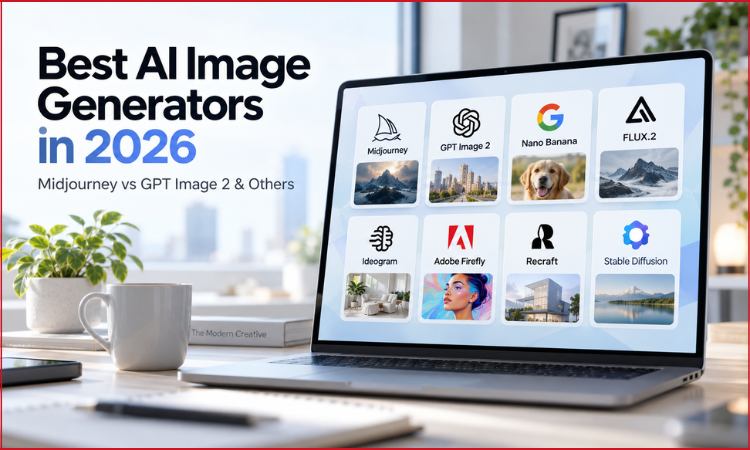
The “Midjourney vs DALL·E” debate has now become old.
In 2026, choosing an image model is less about finding one perfect winner and more about finding the best visual workflow.
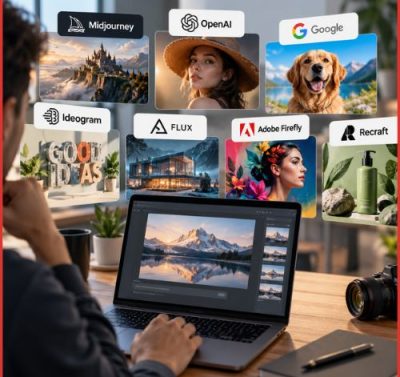
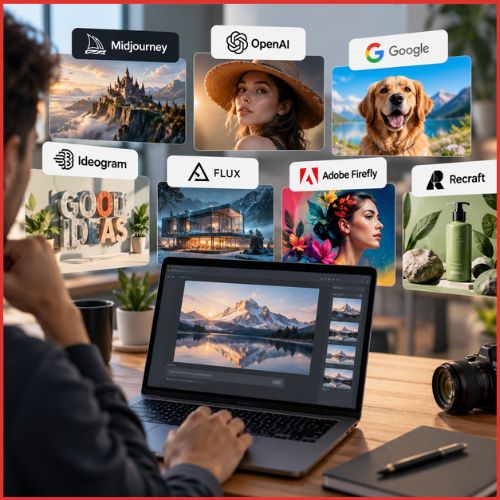
Midjourney is built around aesthetics and personalization. OpenAI’s GPT Image 2 focuses on generation, editing and instruction following. Google’s Nano Banana family brings image creation closer to a knowledge-rich multimodal workflow, while Ideogram has pushed deeper into typography and layout.
Understanding this shift matters for businesses. The best tool for an advertising campaign may not be the best option for a logo, product catalogue, social-media creative or internal design pipeline.
Here are the leading platforms to generate images in 2026.
Best AI Image Generators in 2026 at a Glance
| AI image generator | Best for | Main strength | Workflow |
|---|---|---|---|
| Midjourney V8.2 | Creative imagery | Art direction and aesthetics | Consumer/creator |
| GPT Image 2 | General-purpose generation and editing | Instruction following and image editing | Consumer/API |
| Nano Banana Pro / 2 | Knowledge-rich visuals | Text, diagrams and controlled editing | Consumer/API |
| FLUX.2 | Production and developer workflows | Control, references and deployment options | API/local |
| Ideogram 4.0 | Posters, branding and typography | Text and layout | Web/API/open weights |
| Adobe Firefly | Professional creative work | Adobe ecosystem and multi-model access | Creative Cloud/web |
| Recraft V4.1 | Design and vectors | Raster/vector production | Web/API |
| Stable Diffusion 3.5 | Local and custom workflows | Customisation and self-hosting | Local/API |
There is no single winner across every category. Whichever generator solves your particular visual problem with the least friction is the one for you.
Why “Midjourney vs DALL·E” Is Now an Outdated Comparison
DALL·E remains an important search term, but it no longer describes OpenAI’s current leading image-generation model.
OpenAI’s documentation now identifies GPT Image 2 as its state-of-the-art image-generation model for high-quality generation and editing.
DALL·E 2 has now been deprecated and removed from the OpenAI API.
The bigger change is happening across the entire industry.
Midjourney’s current default is V8.2, released as the default model on July 24, 2026 with an emphasis on aesthetics, image quality and personalization.
Google has expanded its Nano Banana family, Ideogram has reached 4.0, and Black Forest Labs has developed the multi-model FLUX.2 family.
The market is no longer a race between these two models. It has now become a stack of specialised visual tools.
How to Choose an AI Image Generator
A useful comparison should look beyond image quality. For professional use, evaluate five questions:
- How accurately does the model follow a detailed brief?
- How well can you edit and iterate on an existing image?
- How reliable are text, logos, layouts and product details?
- How much control do you have over references, style and composition?
- Does the pricing and licensing model fit your workflow?
This last point is particularly important. A creator producing ten images a week has very different economics from an ecommerce company generating thousands of product variations through an API.
Midjourney V8.2: Best for Art Direction and Aesthetics
Midjourney remains one of the strongest choices for users who care primarily about the visual character of the final image.
Its latest default model, V8.2 is positioned around aesthetics, image quality and personalization. Midjourney says the new version produces more creative and sophisticated results while making personalization more responsive to a user’s aesthetic preferences.
That makes Midjourney particularly attractive to:
- Creative professionals
- Illustrators and concept artists
- Fashion and lifestyle brands
- Content creators
- Advertising teams developing visual directions
Its biggest advantage is not realism. It is the ability to create an image that feels art-directed.
The trade-off is that users who need highly controlled and procedural workflows may find API-first platforms more suitable.
Best choice: creative exploration, editorial imagery and visually distinctive campaigns.
GPT Image 2: Best General-Purpose Generator and Editor
GPT Image 2 represents the shift of AI image generation from standalone prompt box to a conversational visual workflow.
OpenAI describes it as a state-of-the-art image model supporting both generation and editing, flexible image sizes and high-fidelity image inputs.
This combination is necessary because professional image creation rarely ends with the first generation. A marketer may need to change the product position, adjust the background, modify an object or produce few variations of the same concept.
GPT Image 2 is therefore particularly well suited to instruction-heavy tasks.
It is also available through OpenAI’s developer platform, making it relevant to applications that need image generation built directly into a product or workflow.
Best choice: complex instructions, editing, business applications and developers who want a general-purpose image workflow.
Nano Banana Pro and Nano Banana 2
Google’s Nano Banana family takes a different route.
Nano Banana Pro is built on Gemini 3 and is designed for image generation and editing with precise control.
Google highlights text generation, diagrams, product mockups and studio-style control.
Nano Banana 2 brings similar pro-level generation and editing capabilities into a faster model. Google also says Nano Banana 2 can use Gemini’s real-world knowledge and web-grounded information to create visualisations, diagrams and infographics.
This makes the tool especially interesting for business communication.
Think about presentations, explanatory visuals, product concepts, infographics and educational material rather than purely artistic experimentation.
Best choice: diagrams, visual explanations, editing and prompts that depend on real-world context.
FLUX.2: Best for Production and Developer Workflows
FLUX.2 is less about creating one impressive image and more about giving professionals multiple ways to build a production pipeline.
Black Forest Labs offers FLUX.2 variants, including klein, pro, flex, max and dev, with different priorities around speed, quality, typography and local deployment. The family supports multi-reference editing, color control and outputs up to 4 megapixels.
This flexibility is its primary advantage.
A company generating large numbers of marketing assets may prefer a faster model, while a creative team producing final campaign imagery may choose a higher-quality variant.
FLUX.2 therefore sits close to the infrastructure layer of generative imaging.
Best choice: APIs, production pipelines, reference-heavy editing and teams that need control over deployment.
Ideogram 4.0: Best for Typography and Design
AI-generated text has historically been one of the industry’s weak spots. Ideogram built its identity around solving the problem.
Its 4.0 release puts typography and design even closer to the centre of the product. Ideogram highlights multilingual text rendering, bounding-box layout control, realistic 2K output and workflows designed around production design rather than flat images.
The company has also released Ideogram 4.0 as an open-weight model with a commercial license, while providing hosted and API access.
Its developer platform supports typography, remixing, background control and custom models.
This makes Ideogram particularly compelling for creating:
- Posters
- Packaging
- Brand concepts
- Social graphics
- Merchandise
- Text-heavy advertising
For design teams, readable text can matter more than marginal gains in photorealism.
Best choice: typography, posters, branding and layout-sensitive creative work.
Adobe Firefly: Best for the Adobe Ecosystem
Firefly’s advantage is not necessarily that Adobe owns the single best image model.
Its advantage is the workflow around the model.
Firefly combines image, video and audio generation with Adobe’s broader creative ecosystem. Its current plans also provide access to selected models from Adobe, Google and other providers, turning Firefly into more of a multi-model creative hub.
That is strategically important for professional teams already using Photoshop, Illustrator and other Creative Cloud products.
Firefly’s current plans include a free tier and paid subscriptions; the Standard plan is listed at US$9.99 per month with 2,000 monthly generative credits, although plan details and promotions can change.
The product is therefore less about winning a model benchmark and more about reducing the distance between generation and production.
Best choice: Adobe users, marketing departments and established creative teams.
Recraft V4.1: Best for Design and Vector Workflows
Recraft deserves attention because it approaches AI generation from a designer’s perspective.
Its V4.1 family includes raster and vector models, as well as standard, Pro and Utility variants. The platform supports vector generation, image editing, background removal and brand-oriented workflows.
The vector capability is particularly important. A generated raster image is useful for inspiration; an editable vector can become an actual production asset.
Recraft’s V4.1 documentation also emphasises improved prompt following, illustration quality and design consistency.
For logos, icons, illustrations and other visual assets that need to move into a design workflow, this can be a significant advantage.
Best choice: vector graphics, brand assets, illustrations and production-oriented design.
Stable Diffusion 3.5: Best for Local and Custom Workflows
Stable Diffusion remains relevant for a reason that conventional AI image rankings often overlook: control.
Stability AI’s current core-model catalogue includes Stable Diffusion 3.5 variants, with options for self-hosting, API access and web-based creation. The platform is designed around customisation and deployment in a user’s own environment.
For creators and developers willing to manage hardware and technical configuration, local generation can provide more control over models, workflows and data.
It is not the easiest route for beginners.
But for experimentation, fine-tuning, customised pipelines or teams with infrastructure expertise, that complexity can become an advantage rather than a problem.
Best choice: self-hosting, experimentation, custom models and technical users.
Head-to-Head: Which Tool Wins at What?
| Category | Strongest choice |
|---|---|
| Artistic aesthetics | Midjourney |
| Complex instruction and editing | GPT Image 2 |
| Knowledge-rich visuals and diagrams | Nano Banana |
| Typography and posters | Ideogram 4.0 |
| Production/API flexibility | FLUX.2 |
| Adobe-centric creative work | Firefly |
| Vector and design assets | Recraft V4.1 |
| Local/custom deployment | Stable Diffusion |
These are workflow-oriented recommendations rather than a universal benchmark ranking. Model quality can change quickly, and the best option may depend on the exact prompt, input image, output format and editing task.
Pricing: Why “Cheapest” Is a Misleading Question
AI image pricing now follows several different models.
- Subscriptions work well for individual creators who generate frequently. Midjourney is an example.
- Usage-based APIs make more sense for applications where image generation happens programmatically. FLUX.2, for example, uses model- and resolution-based pricing, with current entry points varying across its model family.
- Credits and creative suites are common in professional platforms such as Adobe Firefly.
- Self-hosting shifts part of the cost from software usage to hardware and infrastructure.
The right comparison is therefore not simply the monthly price. It is cost per useful finished asset.
A tool that produces fewer revisions may be cheaper in practice even if its headline subscription is higher.
Commercial Use, Copyright and Licensing
Commercial use should never be reduced to a simple “safe” or “unsafe” label.
Before putting an AI-generated image into advertising or a product, check three separate things:
- The platform’s commercial-use terms
- The model or API licence
- Applicable copyright and trademark law
These are not the same.
FLUX.2, for example, has different licensing arrangements across its model variants and local deployments. Stability AI likewise distinguishes between community and enterprise licensing for its core models.
Adobe offers a professional ecosystem, but that does not mean every legal question disappears when an image is generated. The same principle applies to every platform.
Businesses should retain prompts, source images, model information and usage records for important commercial work.
Which AI Image Generator Should You Choose?
Choose based on the work, not the hype.
Choose Midjourney when visual style and creative direction matter most.
Choose GPT Image 2 when you need detailed instructions, iterative editing and a general-purpose workflow.
Choose Nano Banana when your work involves diagrams, explanatory visuals, text or real-world knowledge.
Choose FLUX.2 when APIs, references, scale and deployment control are central to the project.
Choose Ideogram when typography and layout are part of the image itself.
Choose Firefly when your team already lives inside Adobe’s creative ecosystem.
Choose Recraft when vector assets and design production matter.
Choose Stable Diffusion when local control and customisation justify a more technical workflow.
The Real Shift in the AI Image Market
A few years ago, the industry conversation was about whether AI could create convincing images.
Now the harder business question is what happens after the image is generated.
A marketing team needs versions. A designer needs editable assets. A developer needs an API. A brand needs consistency. An enterprise may need governance and controlled deployment.
That is why the strongest platforms are increasingly competing on workflow rather than pixels alone.
The practical winner is the tool that removes the most friction between a brief and a finished visual.
Conclusion
There is no single best AI image generator in 2026.
Midjourney remains a compelling choice for aesthetics. GPT Image 2 is a powerful generalist for generation and editing. Google’s Nano Banana models bring strong multimodal and knowledge-rich capabilities. Ideogram focuses heavily on typography and design, FLUX.2 on production flexibility, Firefly on the professional creative ecosystem, Recraft on design and vectors, and Stable Diffusion on control.
The market is becoming less like a leaderboard and more like a toolkit.
For businesses, that is ultimately good news. Instead of asking which model wins every benchmark, teams can choose the system that best matches how they actually create, revise, approve and ship visual content.
FAQs
1. What is the best AI image generator in 2026 for use?
GPT Image 2, Adobe Firefly, Midjourney, FLUX.2 and Recraft V4.1 are among the options. The best choice depends on your workflow, licensing needs and budget.
2. Which AI image generator is better than DALL·E in 2026?
GPT Image 2 is OpenAI’s image-generation model. Midjourney, Nano Banana and FLUX.2 are leading alternatives for various use cases.
3. What is the best AI image generator in 2026 for text and logos?
Ideogram 4.0 is a strong choice for typography, posters and text-heavy designs. Recraft V4.1 is better suited to vector graphics and brand assets.
4. What is the best AI image generator in 2026 for images?
Midjourney is strong for realistic, creative imagery, while GPT Image 2 and Nano Banana are strong for realistic generation combined with detailed editing.