Apple just made it a lot harder for your child to stumble across something they shouldn’t see on their iPhone.
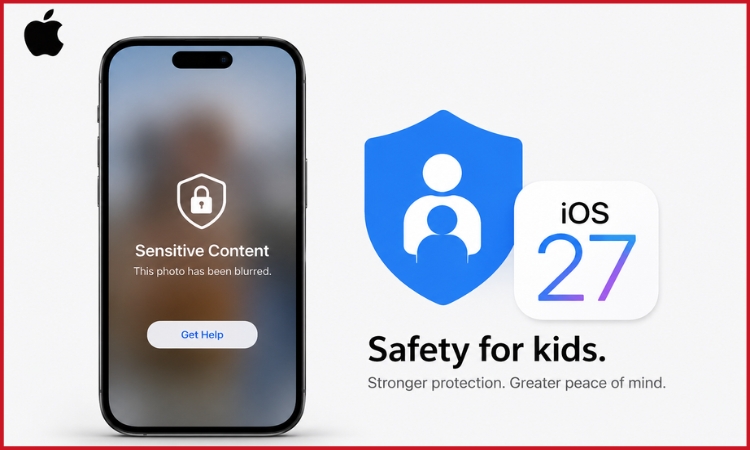
At the Worldwide Developers Conference (WWDC) on June 8, the tech giant previewed iOS 27, a free update coming this fall that brings a sweeping set of new parental controls to iPhone, iPad, and Mac. The headline feature for parents: violent and explicit images will now be automatically blurred on children’s devices, before they even get a chance to tap on them.
What changes automatically
When a child receives, or tries to send, an image containing nudity or violent content, iOS 27 will blur it and show a warning. The child can choose to ask a trusted adult for help before proceeding. All of this happens on the device itself, with no data sent to Apple.
Apple said it is “expanding child safety features with intuitive new tools for families.”
How to set it up — step by step
The features work through a child account linked to your Family Sharing group on iCloud. Here is how to get started.
Step 1:
Open Settings on your iPhone and tap your name at the top. Select Family Sharing and add your child’s Apple account.
Step 2:
Once the child account is created, a Setup Assistant will walk you through choosing which apps your child can access from the start.
Step 3:
Turn on Communication Safety. Go to Settings, then Screen Time, then Communication Safety. This enables automatic blurring of nudity and violent content across Messages, FaceTime, AirDrop, and the Photos picker.
Step 4:
Set contact approval. Under Screen Time, you can require that your child get your permission before adding any new contact, so strangers cannot reach them through Messages or FaceTime.
Step 5:
Set time allowances. You can now set separate daily limits for Entertainment, Games, and Social Media. Apple has built in recommendations based on guidance from child development and clinical experts to give you a starting point.
Step 6:
Set a schedule. You can define time windows — such as school hours — during which certain categories of apps are completely inaccessible on your child’s device.
What you can see as a parent
Screen Time has been redesigned so parents get a clearer picture at a glance: your child’s average daily usage, their most-used apps, and how that time breaks down by category.
With Ask to Browse, any time your child tries to open a new website in Safari, they will need your approval first. The request arrives on your device, and you can approve or decline it wherever you are.
What else did Apple announce at WWDC?
The parental controls were one part of a much larger set of announcements at WWDC. Apple also introduced Siri AI, an entirely new version of Siri deeply integrated into iPhone, iPad, Mac, Apple Watch, and Apple Vision Pro. For a detailed look at Apple’s latest AI upgrades and Siri overhaul, read our guide on Apple WWDC 2026: Smarter Siri and AI Upgrades.
On the performance side, iPhone and iPad apps will launch up to 30 percent faster, photos will load up to 70 percent faster after being taken, and AirDrop transfers will be up to 80 percent faster. The Health app is also getting support for perimenopause and menopause tracking, and AirPods users will be able to set a custom EQ to personalise how their audio sounds.
When it arrives
iOS 27 will be available as a free update this fall. A public beta opens next month. Apple has also launched apple.com/child-safety with setup guides and FAQs for parents.
Also read-