A Permanent Account Number, or PAN, is one of the most important financial identifiers in India. It is used for income tax filings and a range of financial and tax related transactions.
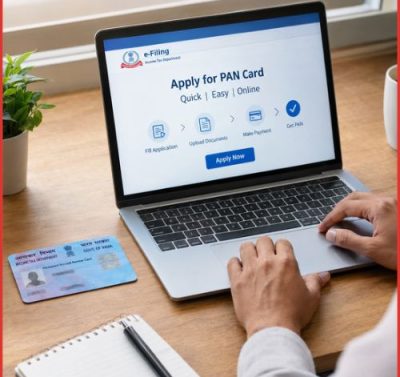
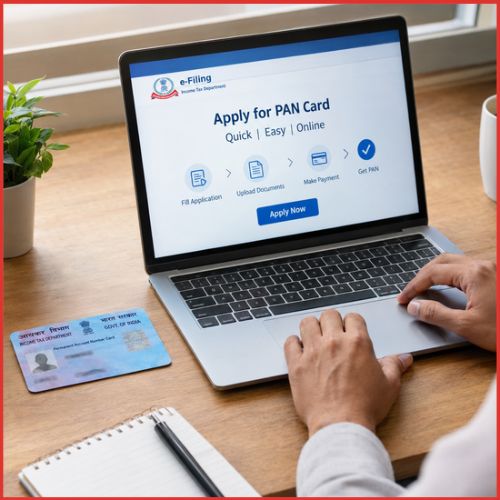
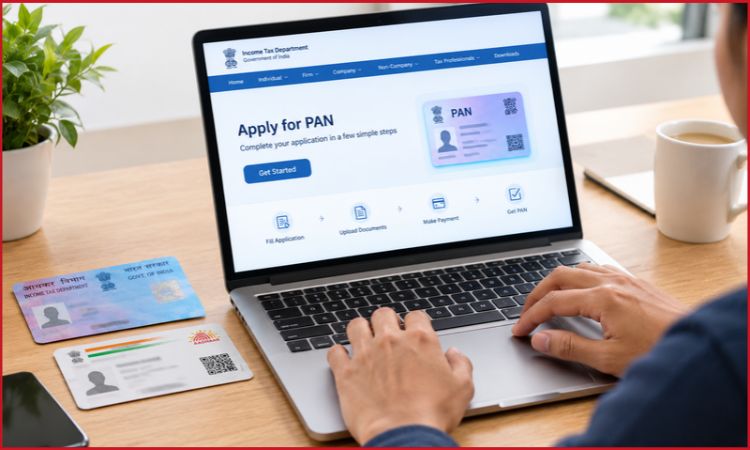
Applying for a PAN card online is now simpler than the traditional paper based process. Eligible individuals can either generate an Instant e-PAN through the Income Tax Department using Aadhaar or submit a regular PAN application online through an authorised service provider such as Protean eGov or UTIITSL.
The route you should use depends mainly on your circumstances. If you are an Indian citizen who has never been allotted a PAN and meet the Aadhaar requirements, Instant e-PAN may be the quickest option. If you need to follow the regular application route, the new Form 93 applies to Indian citizens from 1 April 2026.
Here is a step by step guide to applying for a PAN card online, including documents, eligibility, fees, the Instant e-PAN process and common problems applicants may face.
What is a PAN card?
PAN is a 10 character alphanumeric identifier issued by the Income Tax Department.
It identifies a taxpayer in India’s tax and financial system. PAN is different from TAN, which is used by persons or entities responsible for deducting or collecting tax at source.
A PAN may be required for activities such as:
- Filing an income tax return
- Certain high value financial transactions
- Tax related compliance
- Opening or maintaining certain financial accounts
- Investment and securities related transactions
- Business and professional activities where PAN is prescribed
The exact requirement depends on the transaction and applicable rules.
Who should apply for a PAN card?
A person or entity that is required to file an income tax return or undertake specified transactions for which PAN is required should apply for one.
For an Indian citizen applying as an individual, the relevant new application form from 1 April 2026 is Form 93. Indian entities use Form 94, while individuals who are not Indian citizens use Form 95. Foreign entities use Form 96.
If you already have a PAN, do not apply for another PAN. A person cannot hold more than one PAN.
If your existing PAN contains an incorrect name, date of birth or other detail, the appropriate route is a correction request rather than a fresh PAN application.
PAN application options in 2026
There are two main online routes an individual should understand.
1. Instant e-PAN through Aadhaar
The Income Tax Department offers a free Instant e-PAN service for eligible individuals who have not previously been allotted a PAN.
The service uses Aadhaar based authentication and does not require the applicant to fill out a conventional PAN application form. It produces a digitally signed e-PAN in electronic form.
2. Regular online PAN application
If you cannot use Instant e-PAN or need to apply through the conventional PAN application process, you can submit an online application through an authorised PAN service provider such as Protean eGov or UTIITSL.
For Indian citizens, the new application form is Form 93, effective from 1 April 2026.
How to apply for an Instant e-PAN online
For an eligible individual, this is usually the simplest route.
Step 1: Open the Income Tax e-Filing portal
Go to the official Income Tax Department e-Filing portal.
Look for Instant e-PAN under the Quick Links section.
The service is available without first logging into an e-Filing account.
Step 2: Select “Get New e-PAN”
On the Instant e-PAN page, select Get New e-PAN.
You will be asked to provide your Aadhaar number and confirm the required declarations.
Step 3: Enter your Aadhaar number
Enter your 12 digit Aadhaar number.
The system checks whether the Aadhaar is already associated with a PAN.
If a PAN has already been allotted and linked to the Aadhaar, you cannot use Instant e-PAN to obtain another PAN.
Step 4: Complete Aadhaar OTP verification
An OTP is sent to the mobile number registered with your Aadhaar.
Enter the OTP to complete Aadhaar authentication.
The Income Tax Department’s current user manual states that the OTP is valid for 15 minutes and provides three attempts for entering the correct OTP.
Step 5: Complete the DigiLocker step if requested
The current process can redirect eligible applicants to DigiLocker to obtain supporting information, including proof of date of birth.
The Income Tax Department lists documents such as a birth certificate, Class 10 marksheet or matriculation certificate and driving licence among documents that can be used through DigiLocker for this purpose.
This is one reason applicants should make sure their Aadhaar and DigiLocker information is accurate before starting.
Step 6: Submit the request
After the required authentication and consent steps are completed, submit the request.
You should receive an Acknowledgement ID. Keep it safely because it can be used to check the status of the request.
Step 7: Download your e-PAN
Once the PAN is generated, you can use the Instant e-PAN service to check its status and download the digitally signed e-PAN.
The Income Tax Department considers the e-PAN a valid form of PAN.
Who is eligible for Instant e-PAN?
The Instant e-PAN facility is designed for individuals who:
- Have not already been allotted a PAN
- Have a valid Aadhaar
- Have a mobile number linked to Aadhaar
- Are not a minor on the date of the request
- Are not covered by the specified representative assessee restrictions
The Income Tax Department also requires access to DigiLocker for the current process.
Is Instant e-PAN free?
Yes.
The Income Tax Department states that Instant e-PAN is free of cost.
This is different from a regular PAN application, where processing and physical card delivery charges may apply depending on the application route and services selected.
How to apply for a PAN card through the regular online process
If Instant e-PAN is unavailable for your situation, use the regular PAN application route.
For an Indian citizen applying for a new PAN as an individual, the applicable application form from 1 April 2026 is Form 93.
Step 1: Choose an authorised PAN service provider
PAN applications can be submitted online through authorised service providers such as Protean eGov or UTIITSL.
The Income Tax Department confirms that applicants can apply online through these authorised portals or visit their PAN centres.
Step 2: Select the new PAN application option
Choose the option for applying for a new PAN.
Make sure you select new PAN allotment, rather than a correction or reprint option.
If you already have a PAN, do not submit a new application.
Step 3: Select the appropriate applicant category
An Indian citizen applying as an individual should use Form 93.
The 2026 PAN framework uses different forms according to the applicant:
| Applicant | PAN application |
|---|---|
| Indian citizen, individual | Form 93 |
| Indian entity | Form 94 |
| Individual who is not an Indian citizen | Form 95 |
| Foreign entity | Form 96 |
These forms came into effect from 1 April 2026 under the new Income Tax Rules.
Step 4: Enter your personal details
Enter the information requested in the application.
Pay particular attention to:
- Full name
- Date of birth
- Gender, where applicable
- Father’s or mother’s name, as applicable under the form
- Communication address
- Mobile number
- Email address
- Source of income
- Other details requested by the application
Use details that match your supporting documents.
A mismatch in your name or date of birth can create verification problems later.
Step 5: Provide the required documents
For an Indian individual, PAN applications generally require proof of:
- Identity
- Address
- Date of birth
The Income Tax Department’s 2026 PAN guidance specifies the supporting documents under Rule 158.
Aadhaar can serve as proof of identity and address, although applicants should check the current document requirements for their particular application.
Other prescribed documents can include an Indian passport, driving licence and elector’s photo identity card, depending on the requirement.
Step 6: Complete verification
Follow the online instructions for document submission, authentication and verification.
The exact screens can differ between authorised service providers and may change as their portals are updated.
Before submitting, check every important field carefully.
Step 7: Pay the applicable processing fee
A regular PAN application can involve a processing fee, particularly if a physical PAN card is requested.
The amount can vary depending on the application type, delivery location and service selected. Applicants should rely on the fee displayed on the authorised application portal at the time of submission rather than older fee figures circulating online.
Step 8: Submit the application
Submit the completed application after reviewing the information.
Save the acknowledgement or reference number generated by the portal.
This number is important for tracking the application.
Step 9: Track the PAN application
The Income Tax Department says applicants can track PAN application status using the acknowledgement or reference number through the designated UTIITSL or Protean eGov systems.
What documents are required for a PAN card?
For an Indian individual, the application generally revolves around three categories of proof:
Proof of identity: establishes who the applicant is.
Proof of address: establishes the applicant’s address.
Proof of date of birth: establishes the applicant’s date of birth.
A single document may satisfy more than one requirement where the applicable rules permit it.
For example, the 2026 rules list Aadhaar as a document that can serve as proof of identity and address for an Indian citizen. Other prescribed documents include an Indian passport, driving licence and elector’s photo identity card.
Always check the current document list before submission because requirements can change with amendments to the rules or application process.
How long does it take to get a PAN card?
The time depends on the application route, verification and whether the application contains any discrepancies.
Instant e-PAN is designed as a digital service and can be considerably faster than a conventional application when the applicant meets all eligibility and authentication requirements.
A regular application may take longer because it can involve document verification, processing and physical card delivery.
Applicants should therefore distinguish between PAN allotment and physical card delivery. You may receive or download the e-PAN before the physical card reaches you.
How to download e-PAN
If your PAN has already been allotted, the Income Tax Department provides options to check the status and download an e-PAN.
For an Instant e-PAN request, go to the e-Filing portal and open Instant e-PAN, followed by the option to check status or download PAN.
You will generally need your Aadhaar and OTP verification for the status or download process.
Can you get a physical PAN card after receiving e-PAN?
Yes.
An e-PAN is a valid form of PAN, but an individual who wants a physical card can request a printed PAN card after PAN allotment.
The Income Tax Department directs PAN holders to the authorised reprint services of Protean and UTIITSL for this purpose.
This means you do not need to apply for a completely new PAN simply because you want a physical card.
What if Instant e-PAN fails?
An Instant e-PAN request can fail because of problems with Aadhaar authentication, incorrect personal information or other verification issues.
The Income Tax Department specifically notes that incorrect Aadhaar information or the absence of an Aadhaar linked mobile number can prevent the service from being used.
If the PAN allotment request fails, the department advises applicants to use the regular PAN application route through Protean or UTIITSL.
Common PAN application mistakes to avoid
Applying for a second PAN
Do not apply for a new PAN if one has already been allotted to you.
If your existing PAN is lost, use the appropriate reprint or retrieval route.
Entering a different name
Your name should be entered carefully and supported by the relevant documents.
Name differences can cause problems with Aadhaar authentication and other financial KYC processes.
Entering the wrong date of birth
Date of birth is particularly important because it is used for identity verification and financial KYC.
Check your Aadhaar and supporting documents before submitting the application.
Using an unofficial website
PAN applications involve sensitive personal information.
Use the Income Tax Department’s official portal or authorised PAN service providers rather than third party websites that merely claim to process PAN applications.
Applying for a fresh PAN to correct an old one
If you already have a PAN but need to change information, use the applicable correction process.
The 2026 system provides PAN CR-01 for individuals and PAN CR-02 for non-individual applicants for changes or corrections in PAN data.
PAN application vs Instant e-PAN: Which route should you use?
The choice can be simplified as follows:
| Situation | Suitable route |
|---|---|
| No PAN, eligible Indian individual with Aadhaar | Instant e-PAN |
| No PAN but Instant e-PAN cannot be used | Regular PAN application |
| Already have PAN but lost the card | Reprint/download route |
| Existing PAN has incorrect details | PAN correction |
| Indian citizen applying for new PAN through regular route | Form 93 |
| Foreign citizen applying for PAN | Form 95 |
The key point is that Instant e-PAN and regular PAN application are not two ways to obtain two different PAN numbers. They are different application routes for obtaining the same taxpayer identifier.
Frequently asked questions
Can I apply for a PAN card online?
Yes. PAN applications can be made online through the Income Tax Department’s Instant e-PAN facility when eligible, or through authorised PAN service providers such as Protean eGov and UTIITSL.
Is Instant e-PAN free?
Yes. The Income Tax Department provides Instant e-PAN free of charge.
Is e-PAN valid?
Yes. The Income Tax Department states that the e-PAN issued through its Instant e-PAN service is a valid form of PAN.
Can I apply for Instant e-PAN if I already have a PAN?
No. Instant e-PAN is intended for individuals who have not already been allotted a PAN. If you have lost your PAN card, use the appropriate reprint or download service instead.
What is the new PAN application form for Indian citizens in 2026?
From 1 April 2026, Indian citizens applying as individuals use Form 93 for a new PAN application. It replaced the earlier Form 49A under the new PAN application framework.
Do I need to visit a PAN centre to get an e-PAN?
No. The Instant e-PAN process is online and does not require an in-person verification visit.
Can I get a physical PAN card after getting e-PAN?
Yes. Once PAN has been allotted, you can request a printed physical PAN card through the authorised reprint facility.
What should I do if my Aadhaar details are incorrect?
If your name, date of birth or other Aadhaar information prevents Instant e-PAN authentication, the Income Tax Department advises correcting the relevant Aadhaar details and then trying the process again.
Conclusion
Applying for a PAN card online is now largely a digital process, but the right route depends on whether you are a first time applicant, already have a PAN or need to correct existing information.
For an eligible individual who has never been allotted a PAN, Instant e-PAN through Aadhaar is the simplest route to check first. It is free and does not require a conventional PAN application form.
For applicants who cannot use Instant e-PAN, the regular online application remains available through authorised providers. From April 2026, Indian citizens applying for a new PAN use Form 93 under the revised PAN application framework.
The most important step is not simply submitting the application. It is making sure that your name, date of birth, Aadhaar details and supporting documents are accurate before submission. A few minutes spent checking those details can prevent unnecessary delays later.