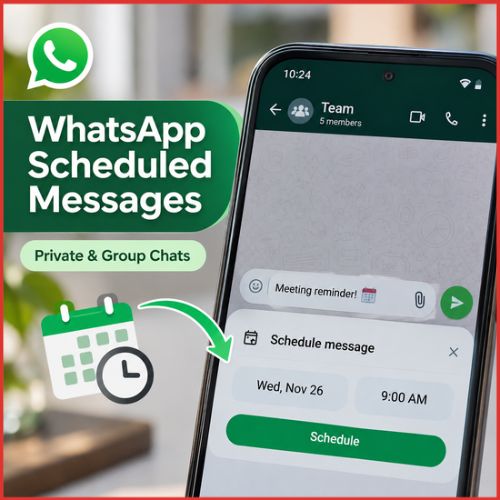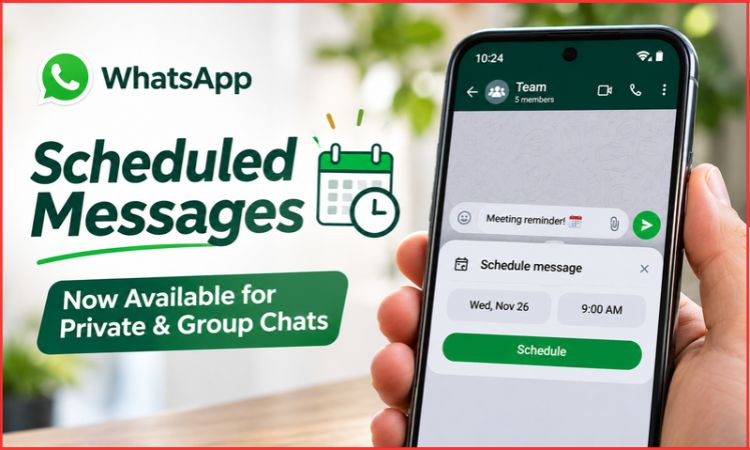
WhatsApp users can now prepare a message and choose when it should be sent, with the messaging platform beginning a global rollout of scheduled messages. The feature works in individual conversations and group chats, addressing a familiar problem: remembering something when it is inconvenient to send it.
Announced on November 25, the update allows messages to be scheduled between 10 minutes and 14 days ahead. Text, photos and videos are supported, giving users a way to arrange birthday wishes, meeting reminders and other messages without returning to the conversation at a particular hour.
The rollout will take place over the coming weeks. That means some users will see the option before others, even if they have already installed the latest version of the app.
How To Schedule A WhatsApp Message
The WhatsApp message scheduling option sits within the existing chat interface. Users first open a private conversation or group, then write their message or select the photo or video they want to share.
Instead of tapping send, they press and hold the send button. A date and time selector appears, allowing them to choose when the message should be sent.
Once confirmed, the message is queued for that time rather than appearing immediately in the conversation. The process keeps scheduling close to the action users already know, without requiring them to create a separate reminder.
For example, someone preparing a meeting reminder in the evening could arrange for it to arrive the following morning. A birthday greeting could be written beforehand and scheduled for the appropriate hour.
The important step is holding the send button. A normal tap remains the action for sending a message immediately.
A Scheduling Window Of Up To Two Weeks
The feature has a minimum delay of 10 minutes and a maximum window of 14 days. It therefore covers messages planned for later in the day, the following morning or an event approaching over the next fortnight.
That range makes it useful for short-term coordination. A family organising a weekend gathering could prepare a reminder during the week. Someone who remembers an upcoming anniversary while travelling could write their greeting before the date arrives.
The two-week limit also establishes a clear boundary. Users cannot treat the feature as a calendar for messages intended several months in advance.
There is a practical distinction between remembering a task and completing it. A calendar alert still asks someone to open a conversation and send a message. With scheduled WhatsApp messages, the message itself is prepared and queued ahead of time.
Messages Can Send When The Phone Is Off
WhatsApp says scheduled messages will still be sent if the sender’s phone is switched off or has run out of battery.
This removes the need to keep the app open at the selected time. It also makes scheduling more useful for people whose working hours, travel plans or sleep schedules differ from those of the recipient.
Consider someone taking an overnight journey who wants to send a morning update. Preparing the message before departure means they do not have to remain awake simply to press send.
However, choosing a sending time cannot make someone available to read or answer. Scheduling controls when the message is dispatched; the recipient’s circumstances still determine when the conversation continues.
For users, the main benefit is that sending no longer depends on their remembering the task at precisely the right moment.
How To Review Or Cancel Pending Messages
Users can review their pending messages through a dedicated section in the chat information screen.
This is useful because plans often change between writing a message and its scheduled delivery. A meeting might be postponed, a venue could change, or a reminder may become unnecessary after someone responds elsewhere.
Pending messages can be deleted before they are sent. The recipient is not notified when a scheduled message is cancelled before delivery.
Checking that queue is especially sensible when several messages have been arranged for the same event. Otherwise, an outdated reminder could arrive after a newer conversation has already settled the details.
The option gives senders a chance to reconsider both timing and content. Scheduling a message does not mean committing to it regardless of what happens afterwards.
Group Chats Have An Important Membership Rule
WhatsApp group chats support scheduling, but membership affects who receives a queued message.
The rollout documentation explains that scheduled group messages are delivered only to people who belonged to the group when the message was scheduled. Someone joining afterwards will not receive that previously arranged message.
That matters for groups whose membership changes frequently. A newly added colleague, parent or event participant could miss a reminder that was prepared before they joined.
For organisers, the practical lesson is straightforward: review important information when adding new members. A queued message should not be assumed to cover everyone who will eventually belong to the group.
This is particularly relevant when the message contains an address, joining instructions or another detail that every participant needs.
Encryption Continues To Apply
WhatsApp says end-to-end encryption continues to protect scheduled personal messages.
Recipients will see a scheduled message in the same way as an ordinary message. They will not receive a label telling them that the sender prepared it earlier.
That keeps the recipient’s experience familiar, while making the sender responsible for checking that the message still fits the conversation when it arrives.
A greeting is unlikely to become confusing overnight. A work instruction or response to a developing situation may need another look. The longer a message waits, the more opportunity there is for its context to change.
When Users Can Expect The Feature
The WhatsApp update is rolling out globally on Android and iOS over the coming weeks. Its announcement therefore does not mean every account has immediate access.
Users who cannot find scheduling should keep the app updated and check again as availability expands.
The addition addresses an everyday inconvenience without requiring a new style of messaging. People can write when they have the time and arrange delivery for when the message is more useful. For many users, that modest change could become a regular part of organising conversations.
Sources: WhatsApp’s Official Announcement, WABetaInfo’s Feature Guide and Gadgets 360’s Rollout Report. WhatsApp Blog