Source: makemoney
Branding yourself professionally is more important than ever before in the digital era, if you are an entrepreneur developing a new company, a freelancer working from home, a college student entering the workforce, or a solopreneur running a business by yourself, strong branding will separate you from your competitors in an increasingly crowded marketplace. With all that said, you don’t have to spend thousands of dollars on graphic designers or fancy software programs to create beautiful visuals for your brand. In fact, you can easily create amazing graphics using free online resources such as Canva, one of the most popular graphic design tools on the web, providing simple-to-use templates for creating your brand identity.
This guide will teach you how to design professional branding through the use of Canva by providing detailed instructions on designing logos and other recognizable brand images (brand kits), social media graphics, flyers, brochures, and business cards, all from a single application.
Canva: The Ultimate Application in 2025 for Professional Branding
Canva has changed how Individuals and Small business can create Visuals, achieving over 185 million monthly users around the globe and leading the Design Ecosystem.
Advantages of Using Canva for Creating a Brand
- User-friendly interface
- AI-powered design suggestions
- Thousands of ready-made templates
- Brand Kit tools for consistent branding
- Team collaboration features
- Affordable pricing
Canva has become the preferred choice for professional brand development as a result of its ease of use and Creative Freedom.
What Branding Essentials You Can Create on Canva
Before designing, it is important to know what constitutes a strong brand.
Elements of Core Branding
| Branding Element | Purpose |
| Logo | Visual identity of your brand |
| Color Palette | Sets the brand’s mood and tone |
| Typography | Creates consistency in communication |
| Brand Voice | Defines how you communicate |
| Templates | Maintain design consistency |
| Social Media Graphics | Build digital presence |
| Marketing Materials | Ads, posters, brochures |
Canva will give you access to the tools you need to build these Elements in an easily organized way.
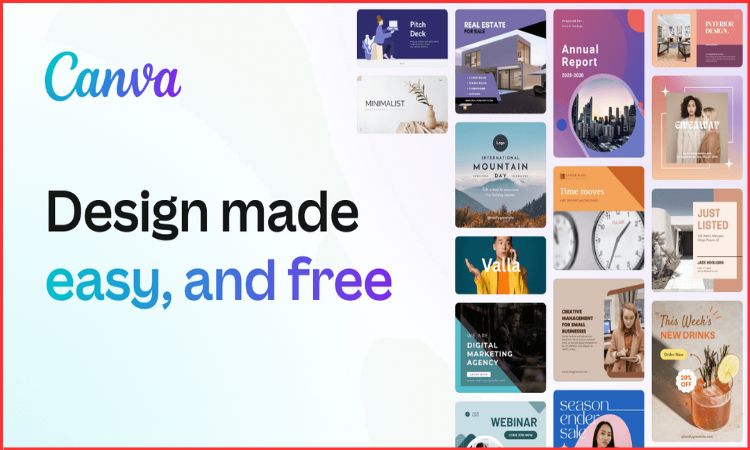
How to build a Professional Brand with Canva’s Step-By-Step Guide
Source: Canva
To build a professional brand using a logo, start with the steps below:
Step 1 – Creating Your Logo
A logo serves as your business’s identity. With thousands of logo templates from all different types of businesses, you can find one that is suited to your specific type.
To create your logo:
- Open Canva – Type “Logo” in the search field
- Browse the different templates or create your logo using the AI Logo Generator
- Update the details and make the changes to fit your business based on what is relevant to your business (i.e., what is your brand name, website address, fonts, graphics, etc.)
- Save it as either PNG (transparent), SVG (to make it easily scalable) or any other format you prefer
To ensure your brand logo is effective, it should be simple, memorable, and align with the message you want to convey.
Step 2 – Create Your Brand Kit
Canva’s brand kit allows you to store, manage and keep track of your brand colors, fonts and logo graphics.
Here’s what you will be able to do with your brand kit:
- Store your logos, fonts and graphics that represent your brand, along with guidelines for your brand voice (i.e., how your business should speak when communicating with customers).
- Use your brand kit to create consistent designs among your business models, products, services, etc.
Step 3 – Create a Professional Color Palette
Your color palette defines your brand personality. Canva lets you generate palettes using AI or import HEX codes.
Suggested Color Psychology
| Color | Meaning |
| Blue | Trust, professionalism |
| Red | Energy, confidence |
| Green | Growth, balance |
| Black | Luxury, power |
| Yellow | Optimism, creativity |
Step 4 – Selecting the Typeface for Your Brand
The typeface that you select as a part of your branding will determine how professional and contemporary your brand appears.
Suggested Canva Typefaces
- Serif typefaces → Formal brands (i.e. Wealthy, Financial)
- Sans-serif typefaces → Modern brands (i.e. Technology, Startups)
- Display typefaces → Creative brands (i.e. Arts, Fashion, Music)
Use only two typefaces: the first for headings and a second for body text.
Step 5: Create Branded Social Media Templates
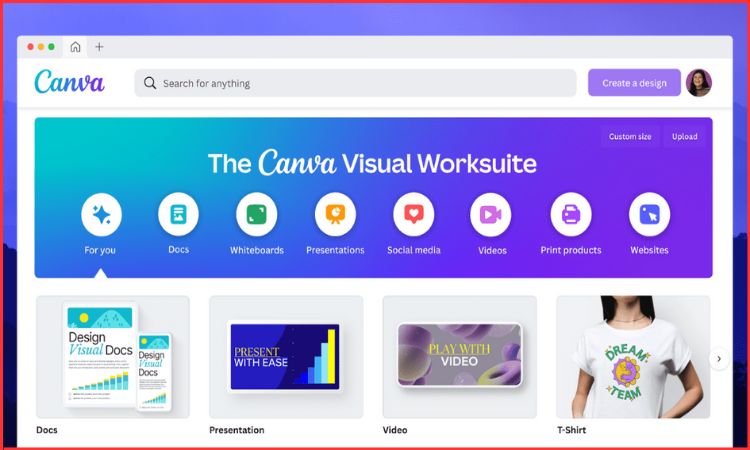
Having consistent social media content will help people identify your brand more easily. Canva provides designed templates for:
- Instagram posts
- LinkedIn banners
- Facebook advertisements
- YouTube video thumbnails
- Stories and reels
How Do I Make Branded Templates for Social Media?
- Choose a pre-designed template from the Canva product range.
- Add your Brand Kit’s selected color palette and fonts.
- Change the pre-designed images in your template with original photography or graphics you have created.
- Provide illustrations, charts, icons, shapes and illustrations.
When you create social media templates, they can be reused to ensure that you maintain consistency throughout your brand on social media.
Step 6 – Use Canva for Marketing and Business Collateral
Canva enables you to produce professional-quality marketing merchandise, including the following:
The Following Are Some Examples of Business Collateral You Can Create Through Canva:
Every template has the ability to be customized and personalized with an organization’s brand identity using the Brand Kit.
Step 7- Use Canva AI Tools for Faster Branding
Canva has added several AI tools that help speed up the development of brand content for all users, especially new users.
The Following are Some of the Most Helpful Canva AI Tools:
Canva’s AI tools not only shorten the production time for all users, but they also allow those who are new to branding to have access to high-quality studio-level brand visuals.
Step 8 – Collaborate in Real-Time on Canva
Canva’s ability to allow users to work collaboratively in real time makes it a great tool for new businesses, agencies and marketing teams.
Advantages of Collaboration
- Collaborate with team members on the same design simultaneously.
- Assign team members various roles (administrators, editors, viewers).
- The comments/feedback section streamlines your business workflow.
All team members can maintain the same branding strategy.
Step 9 – Share Your Branding Documents: Export Your Work
Canva’s variety of export options makes it easy to produce the types of files you will use.
| Format | Best For |
| PNG | Social media, transparent logos |
| JPEG | Photos, banners |
| PDF Print | Brochures, posters |
| MP4/GIF | Animated graphics |
Tips to Enhance Your Brand with Canva in 2025
Source: canva
Branding Dos
- Your color palette must remain consistent.
- Use good-quality photos.
- Repurpose templates to save time.
- Maintain a consistent visual brand across all platforms.
Branding Don’ts
- Avoid using too many fonts.
- Don’t pick random colors for each post.
- Don’t clutter your design with too much information.
- Your consistency will lead to building trust, recognition and authority for your brand.
Conclusion
Canva has changed how people and businesses implement branding. Its user-friendly interface, professionally designed templates, and powerful AI assistance make it the premier platform for anyone wanting to establish a solid digital identity. Whether you are designing a logo, creating a brand kit, or building exceptional marketing visuals, Canva enables you to achieve a consistent and professional-looking brand in a few short steps.
FAQs
1. Is it necessary to use the Pro version of Canva to be successfully branded?
While it’s not mandatory to use the Pro version of Canva in order to be successfully branded, the Pro version does offer additional features, such as branding and team collaboration tools, which will enhance your branding efforts.
2. Is it possible to create an entire Brand Identity with Canva alone?
Yes, Canva can be used to create your Logo, Color Palette, Typography Rules, and Templates, as well as many of the Marketing Materials that you will need.
3. Are there any useful resources for creating business presentations with Canva?
Canva offers many resources for creating professional presentations, including pre-designed Pitch Decks and Slide Templates.
4. Can multiple people collaborate on the same design in Canva?
Yes, you can use Canva to collaborate with other users, and you will see your changes in real-time when working on a design together.
5. Does Canva allow for the creation of Animations and/or Videos?
Yes, you can create Animated Posts, Video Ads, Video Reels, and professionally designed Presentations with Canva.